Outbound link tracking
If you use the outbound link click tracking feature, then these count towards your billable monthly pageviews.
Outbound link click tracking is essential for many site owners and Plausible helps you automate this process. With our Outbound links tracking you can:
- See which external URLs are clicked the most
- See on which of your pages the particular outbound link gets the clicks
- Filter the dashboard by external URL to see what type of visitors click the most (referral source, entry page, location, device, browser, OS)
- Group your external link clicks by domain name or any keyword
Outbound links is an optional enhanced measurement. If you want to track external link clicks, here's how to enable it:
Enable "Outbound links" for your site
By default, Outbound links is enabled when adding a new site to your Plausible account. You can enable or disable it by going to the General section of your site settings. In the Tracking area, use the Outbound links toggle under Default tracking. Your changes take effect automatically without needing to update the snippet on your site.
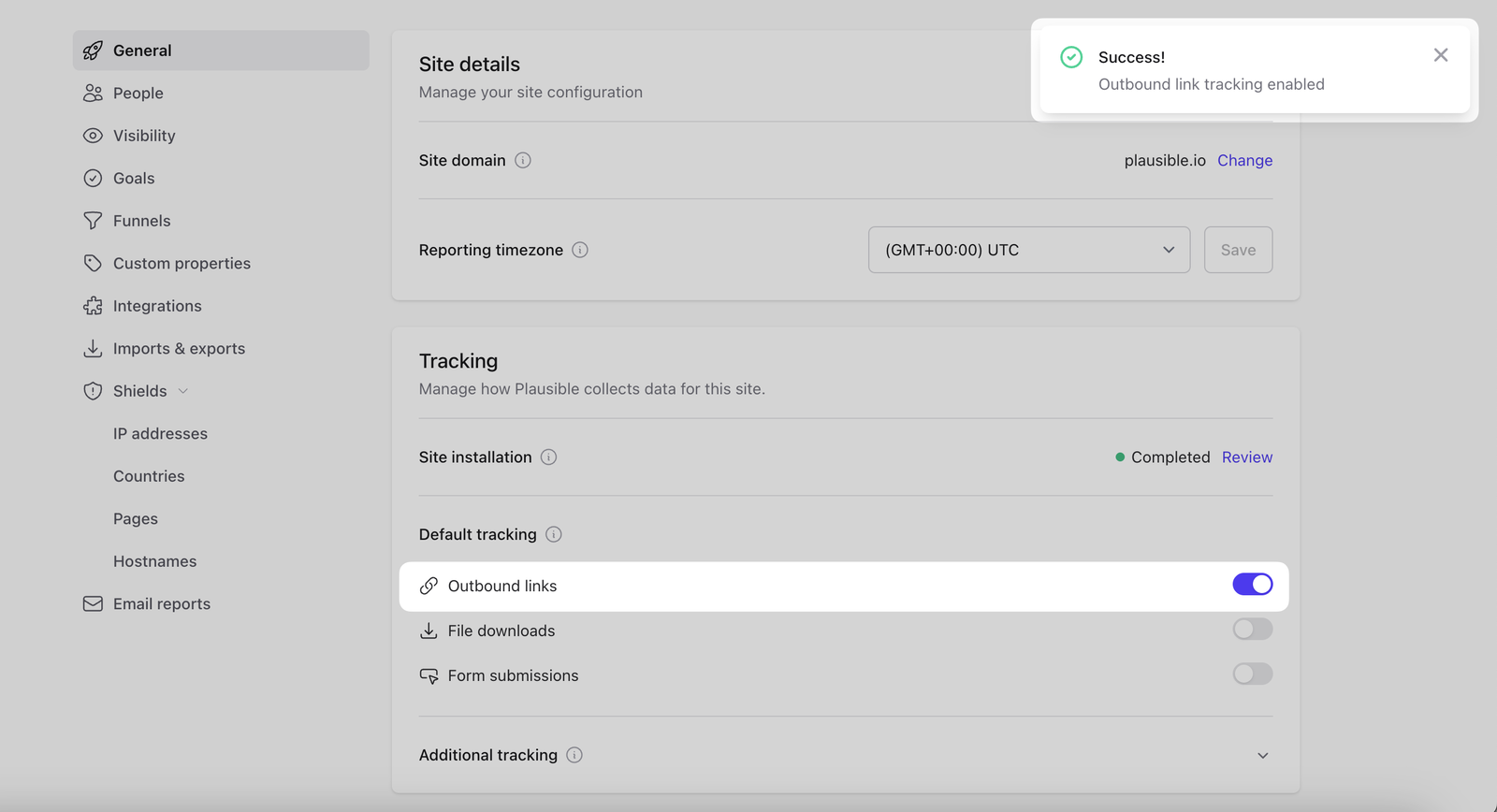
After you enable outbound link click tracking, we will automatically add a new goal called Outbound Link: Click to your site.
See all the outbound link clicks in your dashboard
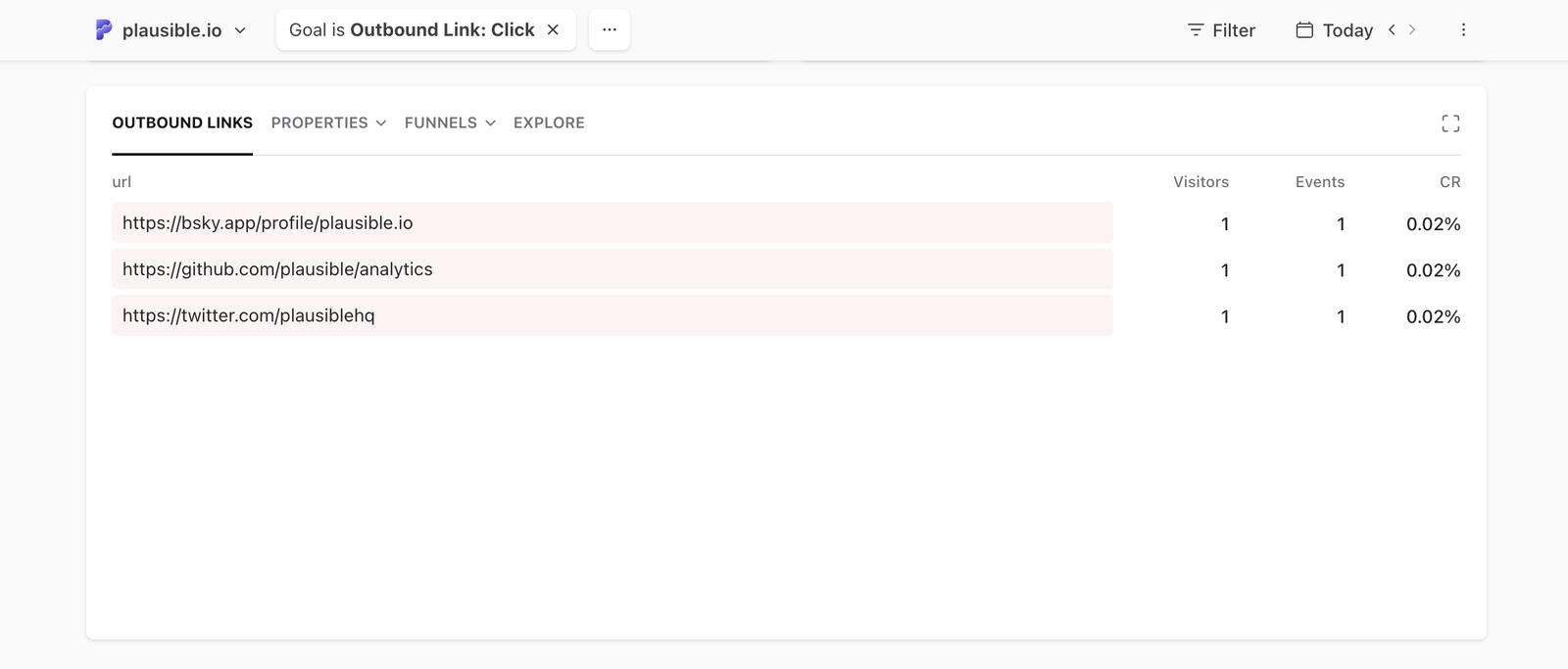
Click on Outbound Link: Click goal in the Goals tab of your Plausible dashboard to see the full list of all clicks on all external links and have your dashboard filtered by external clicks only. You can see:
- The number of total external link clicks
- The number of unique external link clicks
- The conversion rate
- Top referral sources that lead to clicks
- Top pages that drive the clicks
- Countries that click on external links
- Devices (screen size, browser, OS) that click on external links
Click on a particular external URL to filter the dashboard by those clicks only and get the full overview of that specific URL.
Want to group external link clicks by the domain name or any other keyword? In the Filter button in the top right of your dashboard, choose Property. Then select url (this includes all the external link click URLs we have recorded) and use the "contains" option. Add whatever domain or keyword you want to group the external link clicks by and click on the Apply Filter button.
Here's how to automatically track clicks on cloaked affiliate links
Check out this blog post for more details on the value of tracking outbound link clicks.
Other automated goals
Plausible also offers automated tracking for file downloads and form submissions. These can be enabled under Default tracking in the Tracking area of your site settings without any code changes. You can also track 404 error pages with a small snippet of code.
How to disable "Outbound links" tracking for your site
Go to the General section of your site settings. In the Tracking area, switch off Outbound links under Default tracking. Your changes take effect automatically without needing to update the snippet on your site.
After you disable outbound link click tracking, we will automatically remove the goal called Outbound Link: Click from your site.